

GoHighLevel sidebar menu customization in the order your front desk works
Stock GoHighLevel lists features in the order a software company thinks of them. Your front desk thinks schedule, messages, patients, recall. Rebuild the menu that way in the editor, then choose where it lives.
From $647 one-time in Full PolishStock order
- Launchpad
- Dashboard
- Conversations
- Calendars
- Contacts
- Opportunities
- Payments
- Marketing
- Automation
- Sites
Front-desk order
- Today’s schedule
- Patient messages
- Patients
- New-patient pipeline
- Recall & recare
- Reviews
- Payments
Every part of GHL navigation, by the numbers
Menu positions
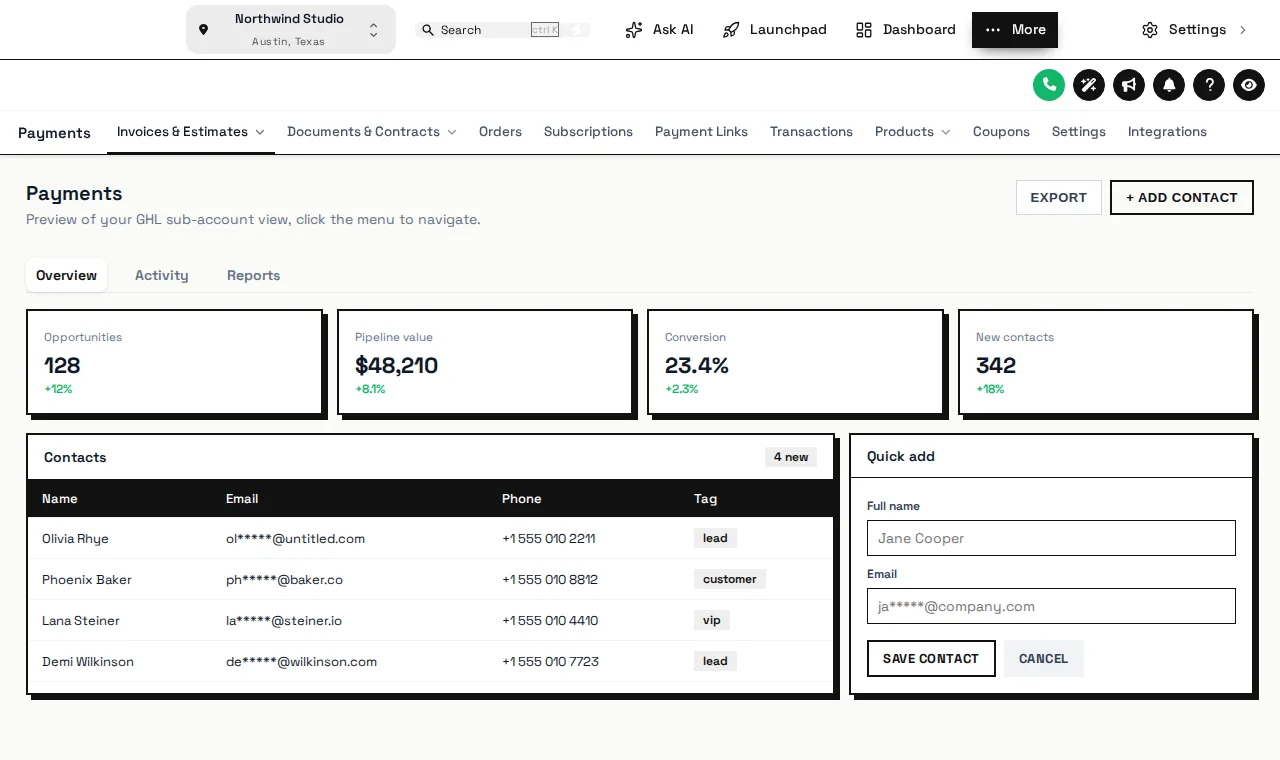
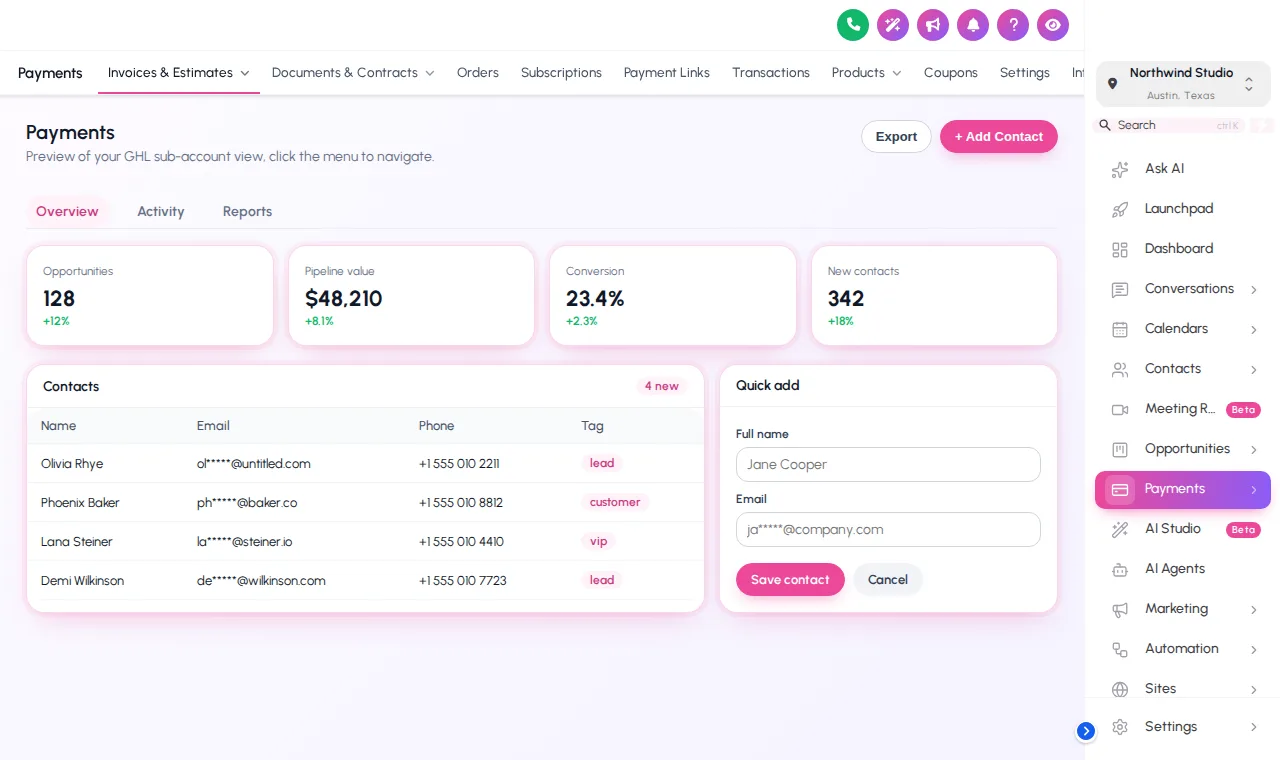
Left sidebar, right sidebar or a top bar, with a merged-header option that saves vertical space on short laptop screens.
Top bar styles
Solid, floating, glass, brand, underline, segmented, centered and slim.
Mega menu styles
Columns, split, cascade, tiles, tabs, rail, accordion and wide panels for sections with many sub-pages.
Header styles
From the default bar to soft, brand, gradient, glass and line headers that match your theme.
Rename in practice words
“Opportunities” can become “Treatment plans”; “Conversations” can become “Patient messages”.
Your own links
Add links to your imaging portal, scheduling notes or team handbook right in the menu.
Shortcuts that follow the coordinator around
A launcher that floats over every page with the five or six places your treatment coordinator jumps between all day. Drag it anywhere; it remembers the spot.
Two menu layouts
How you rebuild your menu
Shadow the routine
Note what your front desk opens first, second and third, and which items nobody at the practice has ever clicked.
Rename and regroup
In the menu editor, rename items in plain practice words, reorder them by the day’s routine, group them into sub-menus and hide the unused ones.
Pick the layout
Left or right sidebar, a top bar in one of 8 styles, a merged header, mega menus or a floating quick menu.
Agency and practice views
Set the agency and practice layouts separately. Save once and every sub-account shows them, with no re-install.
Mega menus and the quick menu start in Full Polish
GHL menu customization FAQ
Menus pair naturally with a welcome dashboard and one-tap contact actions.
Yes. Every menu item can be renamed, reordered, hidden or grouped into sub-menus, and you can add your own links. The menu can sit on the left, on the right or as a top bar.
No. Only the label and position change in your team’s interface. Pages, permissions and data stay exactly where GoHighLevel keeps them.
Wide drop-down panels that show a section’s sub-pages at once, with descriptions. There are 8 mega menu styles, such as columns, tiles, tabs and rail.
A small launcher that floats over every page and opens your most-used shortcuts. It comes in 3 layouts (bubble and grid, dock bar, side rail) and 8 designs, and staff can drag it out of the way.
Yes. The agency-level menu and the sub-account menu are set separately, so your agency team and the practice team each see what they need.
Hiding is a visual choice for a tidier menu, not a security control. Keep using GoHighLevel’s user roles for who is allowed to open what.
A sidebar or top-bar layout comes with every package. Mega menus and the floating quick menu start in Full Polish at $647 one-time, together with the dashboard designer, pipeline designer and contact actions.
Yes. Top bars collapse sensibly, and you can preview phone and desktop layouts before anything goes live.
Related modules
A menu that reads like your day sheet
Full Polish opens the mega menus, dashboard designer and pipeline designer together.
One-time price, lifetime access · login emailed within minutes · secure card payment by Stripe
GoHighLevel and HighLevel are trademarks of their owner. Dental GHL Snapshot is independent and not affiliated with, endorsed by or sponsored by HighLevel. GHL Customizer accounts run on the GHL Customer Care customizer platform.