

GoHighLevel contact quick actions: one tap instead of six clicks
Tagging a patient for a recare text means opening the tag box, typing, picking and double-checking. Your front desk does it dozens of times a day. Put those jobs on buttons right on the patient record.
From $647 one-time in Full PolishExample chips for a dental front desk:
Tap the tags, open the treatment plan form
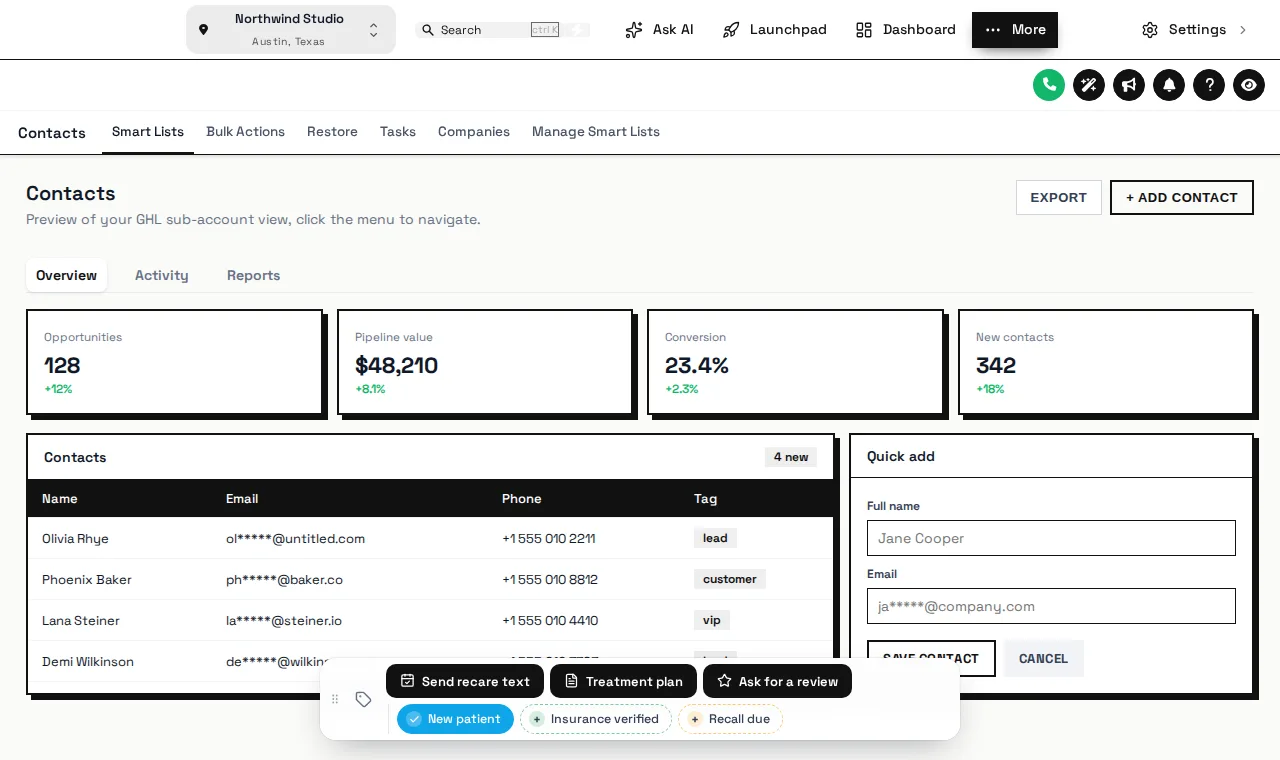
This is the real contact actions bar on a sample patient record, with dental chips and buttons. Nothing is saved in the preview.
Loading the live preview
A color per tag — the real contact actions bar on a sample patient record. Tap a quick tag, open Treatment plan, or drag the bar by its grip. Nothing is saved in the preview.
Buttons for the jobs your team repeats
Recall due
One tap tags the patient and your recare workflow sends the reminder.
Insurance verified
Mark verification done so the confirmation message can go out.
Treatment plan form
Plan value, next visit and status saved to custom fields in one short form.
Review request
Ask happy patients for a review the moment they check out.
Quick tags
Chips show whether the patient has the tag, with their own on and off colors.
Buttons that start workflows
Add, remove or toggle tags with one press.
Pop-up forms
Short forms mapped to custom fields, with your own success messages.
How you wire your quick actions
- Step 1
List the repeat jobs
Ask your front desk which tags they add most: recall due, insurance verified, new patient, review request, financing sent.
- Step 2
Wire chips and buttons
Each chip adds or removes a tag your existing workflows already listen for. Buttons can open a short form that fills custom fields such as plan value or next visit.
- Step 3
Place and test
Pick one of 6 starting positions, test every chip on a real patient record and confirm the workflow fires.
Contact actions start in Full Polish
Contact actions FAQ
Need the workflows the buttons trigger? They ship with the SMS automation and review harvesting features of the snapshot.
A bar of buttons and quick tags on the contact page. One tap adds or removes a tag to start a workflow, and a button can open a short form that saves straight into custom fields.
The chip adds a tag such as “recall due”. Any GoHighLevel workflow that triggers on that tag starts as usual, so the recare text or task goes out without anyone opening the workflow builder.
Yes. Changes go through GoHighLevel’s own API with the signed-in user’s session, the same calls the interface makes, so a team member can only do what their permissions already allow.
Yes. A button can open a form with text, number, date, drop-down, email, phone or link fields, each mapped to a custom field on the contact, such as plan value or next visit date.
No. The contact page shows the new tag or field value straight away. If GoHighLevel refuses a change, the chip flips back and says why.
Optionally, yes: which tag was added or removed and by whom, or which field changed from what to what. Keep clinical details out of notes and messages, as your HIPAA policy requires.
Yes. Each chip or button can show in every sub-account or only in the ones you list.
The contact actions bar starts in Full Polish at $647 one-time.
Related modules
One tap, not six clicks
Full Polish adds the contact actions bar alongside menus, a dashboard and a pipeline board.
One-time price, lifetime access · login emailed within minutes · secure card payment by Stripe
GoHighLevel and HighLevel are trademarks of their owner. Dental GHL Snapshot is independent and not affiliated with, endorsed by or sponsored by HighLevel. GHL Customizer accounts run on the GHL Customer Care customizer platform.